Pause Ad Examples and Creative Specs
Choose a layout. Prepare the creative.
Start with the space the ad will use and the action you want viewers to take. Watch the transition below, then use the layout guide and specifications to prepare your assets.
In this guide: See the transition from program to pause ad · Choose the space for your message · Choose what the viewer can do · Keep the scene feeling paused · Creative specifications · Production handoff
See the transition from program to pause ad
Choose the space for your message
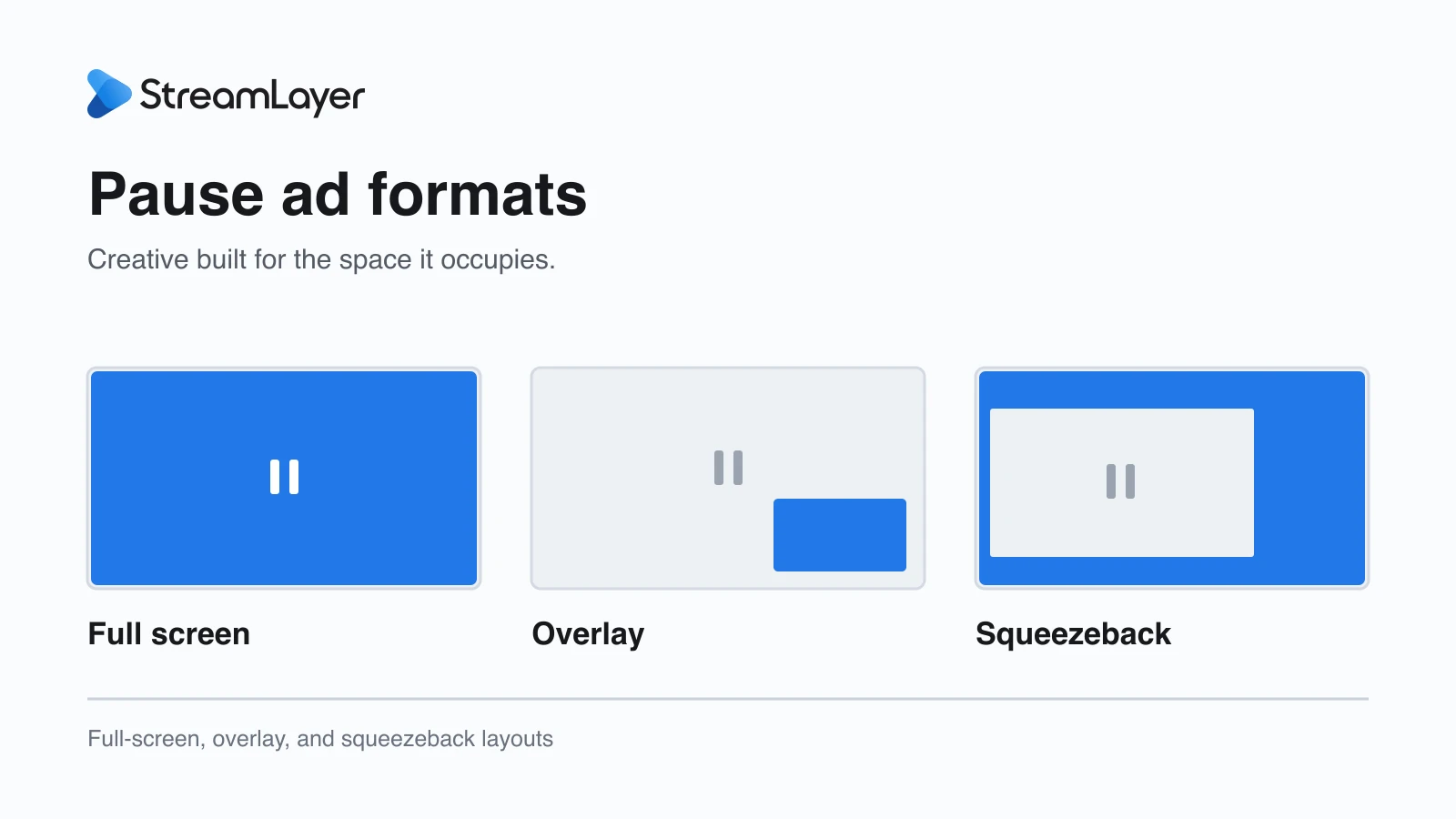
Full screen: give one idea room
A full-screen placement lets the product and offer lead. Use a clear focal point, a concise message, and one primary action. An image, a subtle motion detail, and a remote-control action can work together without making the scene feel like another video commercial.
Overlay: keep the paused picture visible
A compact overlay presents the advertiser's message over part of the paused picture. The creative needs to remain legible against different scenes, so use a clear boundary and strong contrast. Keep the offer and action away from player controls, captions, and the app's resume interface.
Squeezeback: create room beside the video
A Side Bar or L-Bar uses the space created when the app reduces the video. That space can hold advertiser creative, a product, or useful game information. Design for its shape; a full-screen composition rarely remains readable when simply reduced into a narrow panel.
The host app controls the video's size and position and restores the normal layout when the pause experience closes.
Choose what the viewer can do
The format describes where the ad appears. The content and action describe what it offers. A standard brand message can invite a viewer to learn more. Shoppable creative can connect a product to a purchase destination. Synced Stats can pair a sponsor with the score, game summary, top performers, or league standings.
Shoppable and Synced Stats experiences can use full-screen, overlay, or squeezeback layouts. Supply the background and advertiser assets separately from changing product or sports information, leaving the selected template's content zones clear.
Polls and trivia offer another way to participate. Prepare their questions, answers, and optional images for the unit rather than treating them as a static display ad.
Keep the scene feeling paused
Still imagery and subtle, silent ambient motion both suit the pause. A small detail can move while the composition remains settled: drips on a Coke can, steam rising from coffee, trees moving behind a pickup truck, or background light shifting behind a phone display.
StreamLayer does not use full-motion video commercials or sound during the pause. An MP4 is an asset format for that restrained motion. The pause ad closes when playback resumes.
Creative specifications
These specifications combine StreamLayer’s Pause Ads+ creative guidelines with the Shoppable and Synced Stats layout recommendations below and a 600 × 600 pixel IAB-standard partial-screen option alongside the existing overlay templates. Pixel dimensions describe the supplied creative assets. Choose the layout and viewer actions for your app.
Use the reference below for the selected unit. General full-screen creative and Shoppable or Synced Stats backgrounds use different source dimensions.
Full-screen pause ads
- Still image: PNG or JPG, 2560 × 1440 pixels.
- Ambient-motion asset: MP4, 1920 × 1080 pixels, using subtle, silent motion.
- Layouts: left aligned, centered, or image only.
- Title: up to 100 characters. Description: up to 200 characters.
- Optional advertiser logo: transparent PNG, recommended height 140 pixels.
- QR label: up to 25 characters.
- Actions: QR code, send to the viewer’s account email or phone, both, or no CTA, where enabled by the integration.
Side Bar pause ads
- Media: PNG, JPG, or supported ambient-motion MP4, in 2:1 at 1000 × 500 pixels or 1:1 at 1000 × 1000 pixels.
- Background: PNG or JPG, 2560 × 1440 pixels.
- Title: up to 25 characters. Description: up to 65 characters.
- Advertiser logo: transparent PNG, recommended height 140 pixels.
- Actions: QR code, send to the viewer’s account email or phone, both, or no CTA, where enabled.
Overlay pause ads
Supply a transparent PNG in the size agreed for the placement:
- 600 × 600 pixels (1:1): the partial-screen pause ad size specified in the IAB Tech Lab guidelines.
- 760 × 648 pixels: an additional StreamLayer overlay template for publisher-specific placements.
- 564 × 498 pixels: an additional StreamLayer overlay template for publisher-specific placements.
The latter two sizes are existing template options, not labeled here as IAB-standard sizes. Keep key content clear of player controls and confirm the selected dimensions with the publisher.
Poll pause ads
- Question: up to 80 characters.
- Answers: up to six, with up to 120 characters per answer.
- Optional answer images: PNG, 120 × 120 pixels.
- Background: PNG or JPG, 2560 × 1440 pixels; mobile portrait asset: 1000 × 1500 pixels.
- Advertiser logo: transparent PNG, 140 pixels high.
Trivia pause ads
Use the same question, answer, image, background, and logo specifications as polls. Additional context and explanation shown after answering can contain up to 300 characters.
Insight pause ads
- Media: PNG or JPG, 1200 × 675 pixels for a landscape image or 675 × 675 pixels for circular imagery.
- Heading: up to 100 characters. Supporting content: up to 1000 characters.
- Advertiser logo: transparent PNG, 140 pixels high.
- Background: PNG or JPG, 2560 × 1440 pixels; mobile portrait asset: 1000 × 1500 pixels.
- L-Bar banner: PNG or JPG, cropped to 6:1 at 1800 × 300 pixels.
Shoppable and Synced Stats: three layout options
Shoppable, Game — Matchup (score and game state), Game — Summary, Game — Stats Leaders (top performers), and League — Standings (league table) are available in full-screen, overlay, and squeezeback formats. The content type and the presentation layout are separate choices.
Full-screen Shoppable and Synced Stats
- Background image: PNG or JPG, 1920 × 1080 pixels (16:9, full bleed).
- Reserve the selected template’s content zones for product details, game state, statistics, top performers, or the league table, plus any CTA or QR code. Keep essential branding and image details outside those zones.
- Supply the background separately from dynamic shopping or stats content; do not bake changing data into the image.
- Safe-zone positions and dimensions depend on the selected module and layout. Request the layout-specific template before final artwork production.
Overlay Shoppable and Synced Stats
Use the overlay dimensions above. Select the template for the placement and leave its shopping or stats content zones clear.
Squeezeback Shoppable and Synced Stats
- Supply a PNG or JPG background at 1920 × 1080 pixels and/or a separate advertiser logo.
- Recommended horizontal logo: transparent PNG on a 600 × 300 pixel canvas (2:1).
- Recommended square logo: transparent PNG on a 600 × 600 pixel canvas (1:1).
- Choose the canvas that suits the brand mark. Preserve its proportions and required clear space; the logo is scaled to fit, without stretching or cropping.
- The host app reduces the paused video to create a Side Bar or L-Bar. Shopping or stats content and the advertiser logo appear in that surrounding space.
- The background is a full 16:9 canvas behind the composition. Keep important artwork clear of the resized video and content zones; do not place essential messaging where those elements will cover it.
These are recommended source-asset dimensions for the Shoppable and Synced Stats layouts, not fixed on-screen logo sizes. Use the selected Side Bar or L-Bar template to position the background, logo, content, and viewer actions.
Production handoff
Confirm the maximum file size, bitrate, frame rate, and safe-area margins with the integration team before final export. These limits are specific to the selected template and delivery path.
- Record the selected unit and template, source dimensions, safe zones, copy, advertiser logo, and campaign dates.
- Supply changing product details or game content separately from background artwork. Confirm purchase links and other destinations.
- Approve the delivery limits and export settings for the selected devices.
- On CTV, check legibility at normal viewing distance, remote navigation, and an actual QR scan. On web and mobile, test screen size and input controls.
- Test creative arrival, interaction, and resume, including restoration of the player layout.
Explore StreamLayer Pause Ads, review how to evaluate results, or discuss the right layout for your app.