Pause Ads on Roku, Apple TV, Fire TV, Samsung, LG and More
A platform-by-platform guide to adding pause ads to streaming apps: SDKs, pause and resume signals, remote focus and layout on each device.
Pause ads on Roku, Apple TV, Fire TV, Samsung, LG and other devices work the same way in principle. The app detects a pause, waits a short delay, then shows an ad until playback resumes. What differs by platform is the SDK, how the player signals pause and resume, and how the remote moves focus.
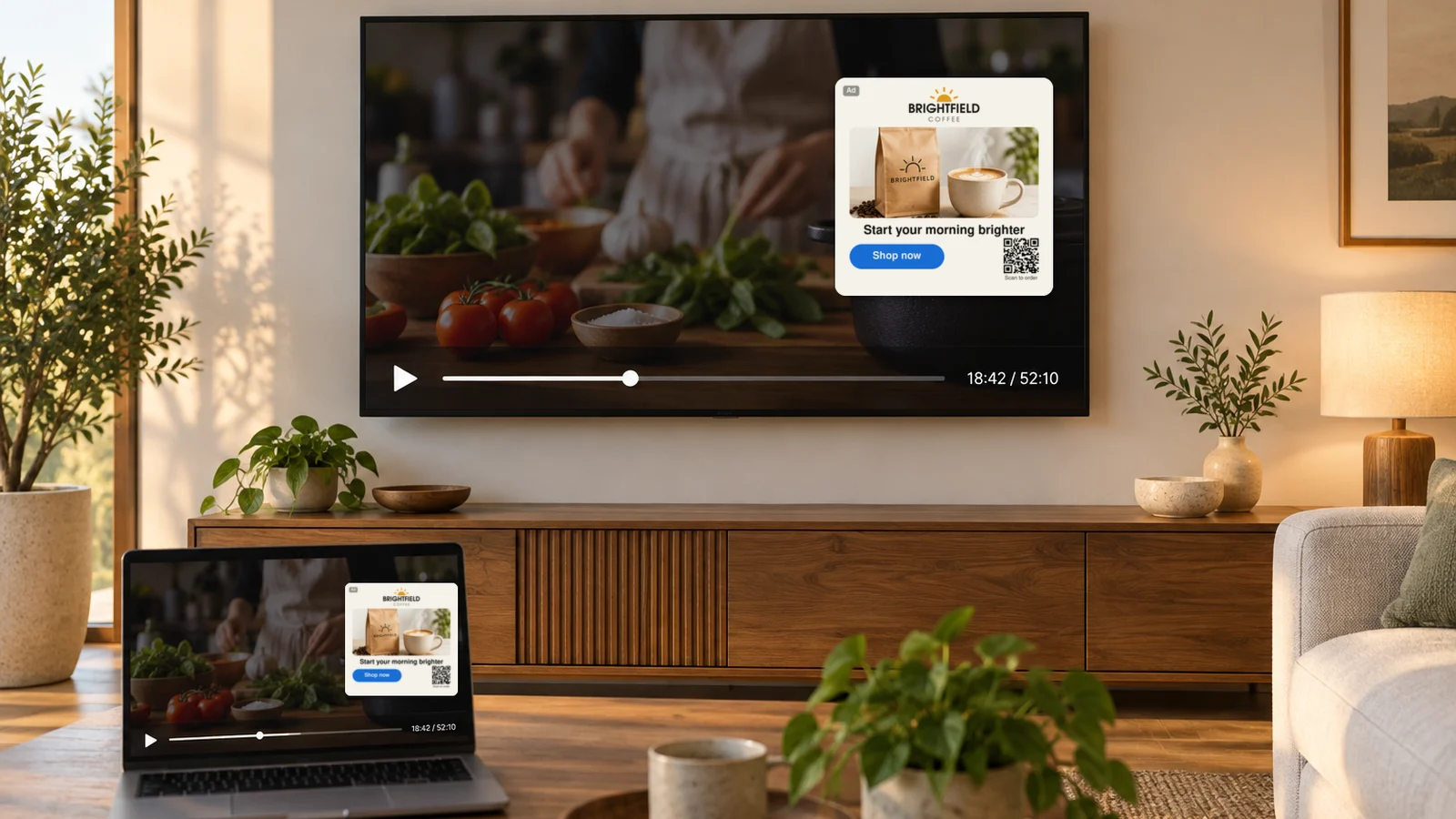
This page summarizes what integrating StreamLayer Pause Ads involves on each platform, based on the StreamLayer developer documentation. Follow the linked guides for code-level detail.
What does every pause ad integration have in common?
Every integration adds the StreamLayer SDK to the app and connects it to the player. The host app owns playback; the SDK owns the ad.
- Pause and resume signals: The app tells the SDK when the viewer pauses and when playback resumes. Resuming dismisses the ad.
- Delay: The docs describe a configurable delay, from instant display with prefetching to a few seconds. A 3–5 second delay is common to filter out accidental pauses.
- Ad source: Depending on the platform, the ad comes from StreamLayer Studio or from a VAST tag served by an ad server such as Google Ad Manager. Some platforms also support Google Publisher Tag or Prebid.
- Focus and remote: The SDK takes remote or D-pad focus while the ad is interactive. The app restores its own focus afterward.
- Layout: Full-screen, overlay and side-bar layouts are available, with platform-specific ad unit names.
For how decisioning and rendering split between server and client, see how StreamLayer SGAI works.
How do pause ads work on Apple TV (tvOS)?
On tvOS, the app signals an ad break when the viewer pauses, and StreamLayer can choose and render the ad automatically.
- SDK: The tvOS SDK ships in the same Swift Package Manager package as iOS, with its own tvOS module. The tvOS integration guide lists tvOS 18 or later.
- Signals: The app calls startADBreak on pause and stopADBreak on resume, usually after a cancelable delay. See Pause Advertising on tvOS.
- Ad source: Paused ads on tvOS come from StreamLayer Studio by default, or from an SDK-managed Prebid auction that preloads a bid.
- Resume: When the viewer dismisses the ad, a delegate callback tells the app to resume playback. It distinguishes a Menu or Back dismissal from other endings.
- Focus: The SDK handles Apple TV remote navigation and the focus engine for its own UI. Apps should not trap focus while the ad is active.
How do pause ads work on Roku?
On Roku, a SceneGraph component sits over the app's Video node and renders pause ads either natively or from a VAST tag.
- SDK: A self-contained module with one view component is copied into the channel and initialized with an API key. See the Roku SceneGraph integration guide.
- Signals: The host app starts its own timer after a pause, about five seconds is recommended, then calls showPauseAd. The app resumes playback when the SDK reports a resume request.
- Ad source: In native mode, the SDK serves its own pause ad. In VAST mode, the app passes a VAST 3.0 InLine tag from any VAST-compliant ad server. The SDK fires impression and quartile beacons. See Pause Ads (VAST) on Roku.
- Layout: Pause units include full-bleed and sidebar shapes. If the app does not choose one, the SDK picks a shape from the creative.
- Focus: The app hands the remote to the SDK through a focus field, only while the overlay is visible. See the Roku integration conventions.
How do pause ads work on Android TV, Google TV and Fire TV?
Android TV and Google TV apps use the StreamLayer Android SDK. Fire TV is also supported today.
- SDK: The same Maven packages as Android mobile, with a TV theme and mobile-only features turned off. Google TV and Android TV need no separate build. See Android TV and Google TV getting started.
- Layout: A screen-offset delegate tells the app how to resize and reposition the player when the StreamLayer UI opens. Hardcoded TV margins are discouraged.
- Focus: The SDK owns D-pad input while its UI is active. With Leanback, the StreamLayer fragment sits beside the player, not inside it. See the Android TV integration conventions.
- Fire TV: Fire TV is supported. Contact StreamLayer for Fire TV integration details, which are not covered in a separate public guide.
How do pause ads work on Samsung, LG, Vizio, Hisense and Xbox?
Samsung Tizen, LG webOS, Hisense VIDAA and Xbox apps built with React share one package, @streamlayer/web-os. They use the same SDK and APIs. See the Web SDK for TV platforms.
- Signals: The app sets a showPauseAd flag on pause and clears it on play. The SDK reports when the ad is actually rendered, so the app can hide its own controls.
- Ad source: A VAST tag URL or a Google Ad Manager request loaded through Google Publisher Tag. See Exposed Pause Ad for TV.
- Loading: Ads load on demand during the delay, or are prefetched and refreshed in the background for instant display. If no ad is available, nothing renders.
- Focus: The SDK uses spatial navigation and captures focus when the ad renders. It does not return focus automatically, so the app refocuses its play button or player on close.
Samsung Tizen
The SDK handles TV remote navigation. The Tizen guide recommends the Tizen Studio emulator or a Samsung TV for testing.
LG webOS
The SDK handles the LG Magic Remote and standard remotes. Test with the LG webOS TV Simulator or an LG TV, per the webOS guide.
Vizio and Hisense VIDAA
Hisense VIDAA uses the same package, and the VIDAA guide recommends testing on a physical Hisense TV. Vizio is also supported; contact StreamLayer for Vizio integration details.
Xbox
The SDK supports controller and directional-pad navigation. The Xbox guide recommends retail devices or dev kits for validation.
How do pause ads work on web and mobile?
Pause Ads are also available on iOS, Android, tablet and web. The integration pattern is the same: detect the pause, show the ad, resume on dismiss.
- Web: A pause ad component from the React Web SDK can wrap the video or sit beside it, positioned with CSS. It supports VAST and Google Publisher Tag ads. See Exposed Pause Ad for web.
- iOS: The app detects the pause and shows an exposed ad unit, such as a VAST sidebar, after a delay. Full-screen and transparent units are iPad-only. See Pause Ads on iOS.
- Android and React Native: StreamLayer provides Android and React Native SDKs. Contact StreamLayer for pause ad wiring on these platforms.
Additional platforms, including PlayStation and TitanOS, can be added on request.
Frequently asked questions
Can I run pause ads in my own Roku channel?
Yes. The StreamLayer Roku SDK renders pause ads over your Video node, either natively or from a VAST tag from your ad server. Your app triggers the ad after a pause and resumes playback when the SDK asks.
How do tvOS pause ads work with StreamLayer?
Your app calls startADBreak when the viewer pauses and stopADBreak on resume. StreamLayer then presents a paused ad from StreamLayer Studio or a Prebid auction, and a delegate callback tells the app when to resume.
Do Samsung Tizen and LG webOS need separate integrations?
No. Both use the same @streamlayer/web-os React package, as do Hisense VIDAA and Xbox. Remote navigation and testing notes differ slightly by platform.
Can pause ads be added on PlayStation or TitanOS?
Additional platforms, including PlayStation and TitanOS, can be added on request. Contact StreamLayer to discuss requirements.
To compare vendor approaches, see pause ad technology compared. For creative sizes by format, see pause ad creative specifications. To plan an integration across your devices, talk to StreamLayer.