Programmatic Pause Ads: How to Sell Pause Inventory via OpenRTB
How to sell pause ads programmatically: who does what, which buying routes fit, how IAB signaling helps buyers, and what to test before launch.
Programmatic pause ads are ads shown when a viewer pauses streaming video, bought through automated channels such as open auction, private marketplace (PMP) and programmatic guaranteed deals. The publisher's app detects the pause. An ad server or SSP selects demand. A client-side renderer displays the creative until playback resumes.
This guide explains who does what, which buying routes fit pause inventory, what the IAB Tech Lab standardized in 2026, and what a publisher should test before launch.
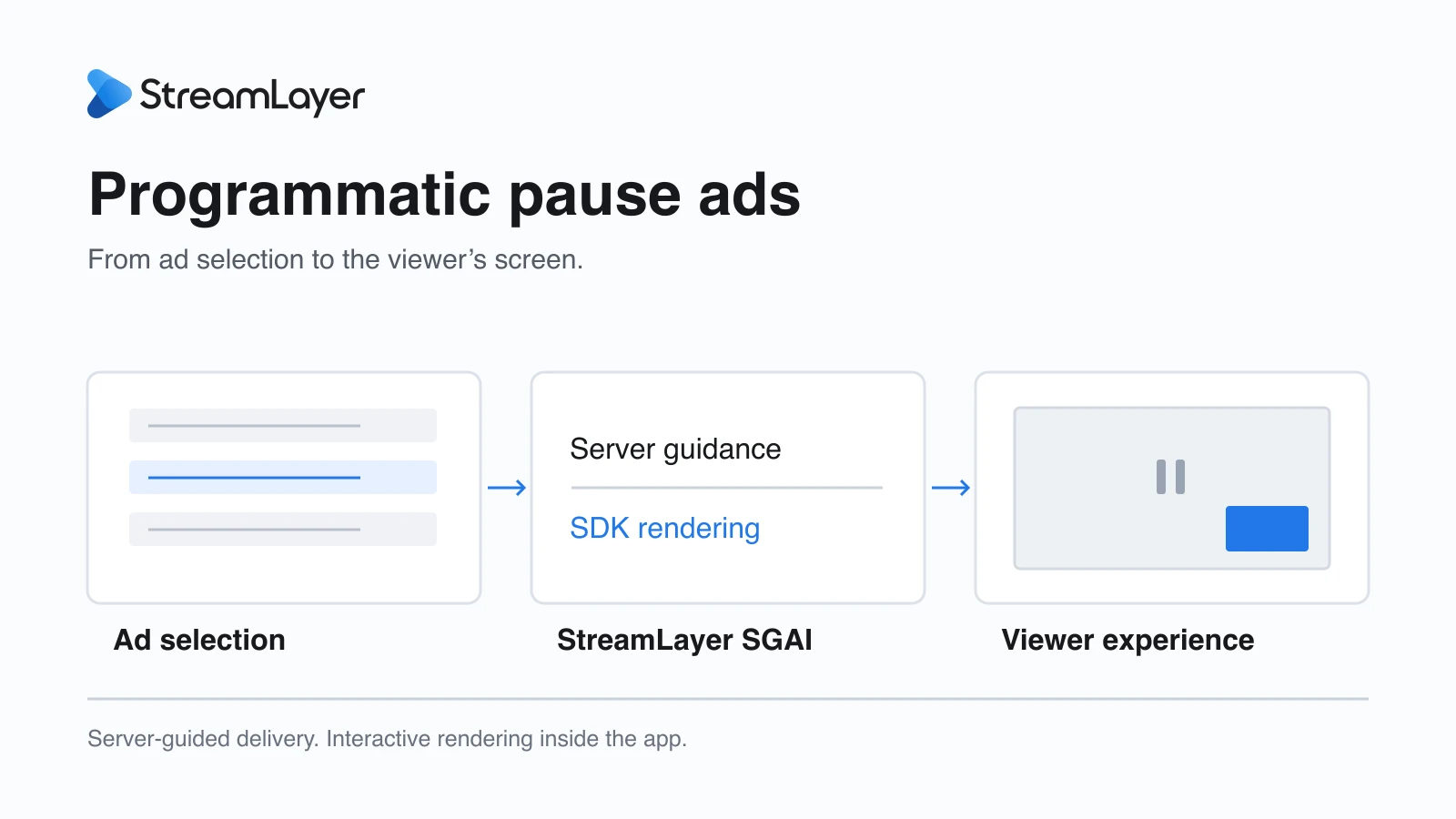
Who does what in a programmatic pause ad?
Five parties share the work. The app owns the pause, the renderer owns the screen, and the ad server, SSP and DSP own selection and payment.
- Publisher app: Detects pause and resume, and sets eligibility, delay, frequency, screen layout and the inventory offered to advertisers.
- StreamLayer: The StreamLayer SDK renders the pause experience inside the app, including CTA buttons, QR codes and send-to-phone actions. StreamLayer Studio handles campaign setup, eligibility, pacing and reporting on the server side.
- Ad server: A server such as Google Ad Manager arbitrates between direct and programmatic demand and returns the winning ad, typically as a VAST response.
- SSP: Exposes the placement to buyers, runs the auction and packages deals.
- DSP: Holds the advertiser's bids, targeting and creative, and decides whether to buy.
Pause ads require code in the app. Changing a channel's video feed alone does not add a pause experience to a third-party app, because the pause happens on the device, not in the stream. StreamLayer works alongside existing ad servers, SSPs, DSPs and players; it does not replace them. See how StreamLayer SGAI works for the full architecture.
Which buying routes work for pause ads?
Pause inventory can be sold through four routes. Early programmatic pause buying at major DSPs has relied heavily on negotiated deals rather than the open auction.
- Open auction: Any eligible buyer can bid. This only works when the DSP can recognize pause supply in the bid request.
- Private marketplace (PMP): Selected buyers bid through a deal ID. The deal terms can describe the pause format, layout and creative rules.
- Programmatic guaranteed: A fixed price and volume, delivered through programmatic pipes.
- Direct sold: A sponsorship or insertion order trafficked in the ad server or in StreamLayer Studio.
General CTV buying access does not mean a particular pause format is available to a buyer. For example, Google's Display & Video 360 states that pause ad inventory is currently available via direct deals with specific publishers, not the open auction. Confirm the route with each buyer before you promise delivery.
What did the IAB Tech Lab standardize for pause ads?
The IAB Tech Lab defined pause as a standard CTV format and then finalized how bid requests should label it. That label is what lets a buyer find pause supply automatically.
In December 2025, the IAB Tech Lab CTV Ad Portfolio defined six CTV formats: pause, menu/home screen, overlay, screensaver, in-scene and squeezeback. On July 22, 2026, it finalized CTV Ad Format Signaling guidance for those formats. The guidance extends existing AdCOM values used by OpenRTB rather than creating new objects. It expands the placement (plcmt), on-screen position (pos) and playbackmethod attributes. Pause is carried as a Video object with a VAST NonLinear ad.
In plain terms, signaling is a standard tag in the bid request that says "this impression is a pause placement." Without it, pause supply can look like any other video impression. Buyers then have to rely on deal IDs or manual setup to find it. With it, a DSP can target, price and report on pause inventory across many publishers. The IAB Tech Lab’s final implementation guidance explains how the bid request identifies the opportunity and the response matches its format, position and playback context.
Signaling is not automatic demand. DSPs must integrate the signals before they can decide on them. The Trade Desk published pause ad specifications for OpenPath on July 24, 2026, according to PPC Land. Read more in CTV pause ad standards and signaling.
Why does Netflix's programmatic launch matter?
It shows that the largest streaming media owners now treat pause as programmatic inventory, not only as a custom sponsorship. That raises buyer familiarity with the format.
For brands and advertisers in the UK and wider EMEA region, Netflix’s September 24, 2026 UK Upfront announcement said programmatic pause ads would become available across partner DSPs in October. Netflix had already announced programmatic pause buying in its US Upfront update on August 10, 2026. For other publishers, these announcements may encourage agencies to include pause in CTV plans and DSP workflows. Publishers whose pause supply is clearly signaled and specified may be easier to include in those plans. This is a market signal, not a forecast of prices or fill for any individual publisher.
How can buyers reach StreamLayer pause supply programmatically?
Buyers can reach StreamLayer inventory through the publisher's configured SSP and DSP partners or through PMP deals. Direct-sold campaigns remain available as well.
For buyers, a clear inventory description matters as much as the pipe. List the apps, audience, markets, pause layout (full-screen, overlay or side-bar), available interactions, creative requirements, buying route and measurement definitions.
What should publishers check before launching programmatic pause ads?
Test the complete experience on every device, not only the ad call. Most pause ad problems appear in the transitions between playing, paused and resumed.
- Creative specifications: Publish accepted sizes, file types and layouts per format. StreamLayer Pause Ads use still imagery or subtle, silent ambient motion. Buyer specs vary; the Trade Desk OpenPath spec, for example, permits static PNG or JPG only. See pause ad creative specifications.
- Delay: StreamLayer guidance is to test a publisher-defined delay of 1–5 seconds to reduce ads on accidental pauses. Confirm the supported timing and the selected partner’s requirements; this range is not an industry-wide requirement.
- No-fill behavior: Confirm that an empty or failed ad response leaves a clean paused screen and working player controls.
- Resume and backgrounding: Resuming playback must close the ad. Also test the Back button, app backgrounding, device sleep and deep links while an ad is on screen.
- Frequency: Decide how often one viewer can see a pause ad per session, and whether repeated pauses show new creative.
- Measurement: Define when an impression counts, such as when the creative renders rather than when it is requested. Reconcile counts across the SDK, ad server and SSP. See pause ad measurement and revenue.
- Signaling: Check that your SSP passes the finalized pause signals, and that target buyers' DSPs can read them.
Frequently asked questions
What is a programmatic pause ad?
It is an ad that appears when a viewer pauses streaming video and is bought through automated channels such as open auction, PMP or programmatic guaranteed deals. The app detects the pause, and an ad server or SSP selects the ad.
What is pause ad signaling in OpenRTB?
It is a standard label in the bid request that identifies an impression as a pause placement. The IAB Tech Lab finalized this guidance in July 2026 by expanding AdCOM placement, position and playback values. DSPs must integrate the signals before they can act on them.
Is StreamLayer an SSP or DSP?
No. StreamLayer renders pause experiences inside the publisher's app through its SDK and manages campaigns in StreamLayer Studio. It works alongside the publisher's ad server, SSPs and DSPs.
Can pause ads be sold through a private marketplace?
Yes. PMP deals are a common route for pause inventory because deal terms can define the format, layout and creative rules.
StreamLayer helps publishers add Pause Ads to their own apps and connect them to the buying routes they already use. Talk to StreamLayer about your devices, ad stack and sales plans.